How Do You Scan An Object For 3d Printing
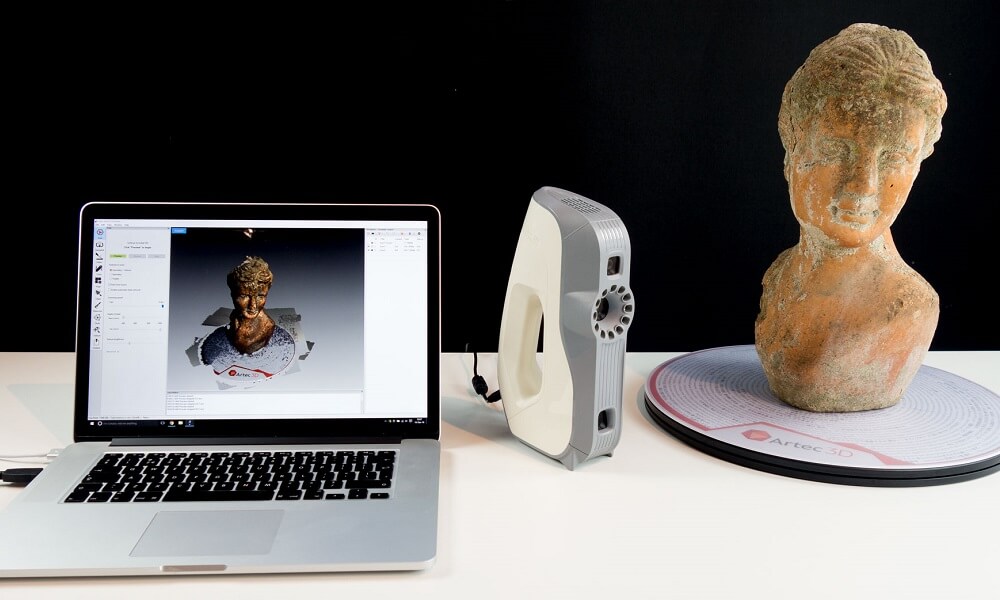
How Do You Scan An Object For 3D Printing?
3D printing has become increasingly popular in recent years and is now being used for a variety of applications. From creating custom parts for prototypes to manufacturing end-use parts for production, 3D printing has become an important part of the manufacturing process. But what if you want to create an object that is not easily modeled in 3D design software? That’s where 3D scanning comes in.
What Is 3D Scanning?
3D scanning is the process of capturing data from a physical object to create a 3D model. 3D scanners use various technologies to capture information about an object, such as laser scanning, structured light scanning, and photogrammetry. The scanned data is then used to create a 3D model that can be used for 3D printing or other purposes.
Types of 3D Scanners
There are a variety of 3D scanners available, and each has its own advantages and disadvantages. Laser scanners use lasers to capture data from an object, and are generally more accurate, but they can be expensive. Structured light scanners use a projector to project patterns onto an object, which are then captured by a camera. Photogrammetry uses multiple images taken at different angles, which are then stitched together to create a 3D model.
How Do You Scan An Object For 3D Printing?
The process of scanning an object for 3D printing is relatively straightforward. First, you have to decide which type of scanner you will use. If you’re looking for a more accurate scan, a laser scanner would be the best option. If you’re looking for a cheaper option, a structured light scanner or photogrammetry would be better.
Once you have chosen a scanner, you will need to prepare the object for scanning. This involves making sure that the object is as clean as possible and that there are no objects blocking the scanner’s view. You’ll also want to make sure that the object is in a stable position so that the scanner can capture the data accurately.
Once the object is prepared, the scanner will capture the data and the software will generate a 3D model. Depending on the type of scanner you’re using, you may have to manually clean up the model or use a mesh editing software to refine it. Once the model is ready, it can be used for 3D printing.
Conclusion
3D scanning is a great way to quickly and accurately capture data from an object and generate a 3D model. There are a variety of 3D scanners available, each with its own advantages and disadvantages. By following the steps outlined above, you can easily scan an object and use the data to create a 3D model that can be used for 3D printing.
