How To Make 3d Model Of A Person
How To Make 3d Model Of A Person
Introduction
3D modeling is a great way to create realistic models of people, animals, and objects. It's an essential skill for any 3D artist, and it's becoming increasingly popular in the world of animation and visual effects. In this tutorial, we'll look at how to make a 3D model of a person. We'll discuss the basics of 3D modeling and then show you how to create a 3D model of a person using Maya, one of the most popular 3D software packages.
Gathering Reference Images
The first step in creating a 3D model of a person is to gather reference images. These images will be used as a reference for the 3D model and should include images from different angles, such as front, side, and back. If you're working with a live model, you can take photos yourself. If you're working from photographs, you'll need to make sure you have permission to use them. Once you have your reference images, you should organize them into a folder for easy access.
Constructing the Base Mesh
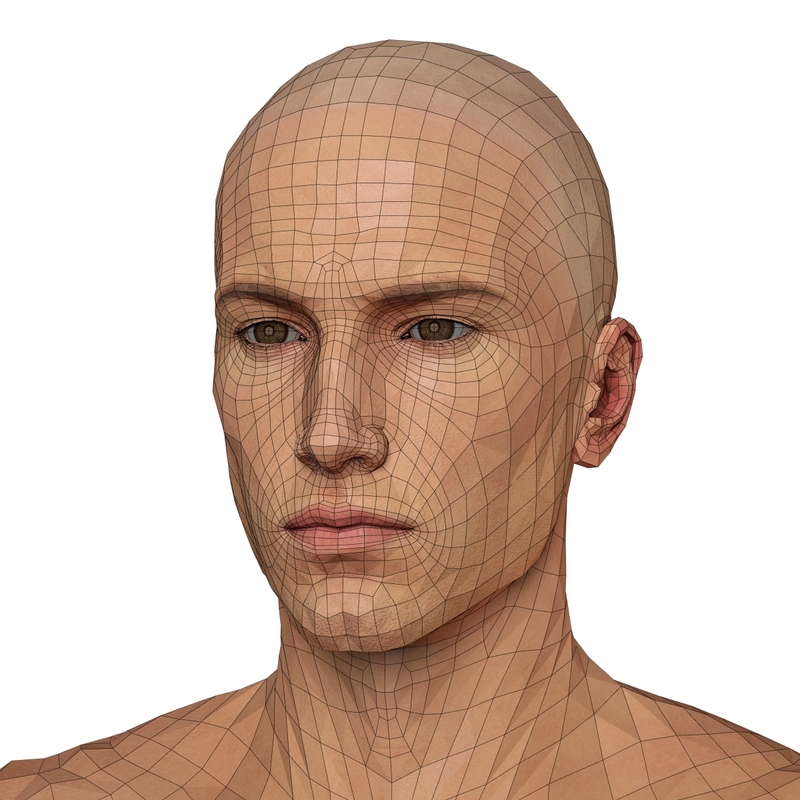
Once you have your reference images, you're ready to start constructing the base mesh. The base mesh is the foundation of your 3D model and will serve as the starting point for the rest of the modeling process. To create the base mesh, you'll need to use a 3D modeling program such as Maya. In Maya, you can use the polygon modeling tools to create a mesh from your reference images. You should use the reference images to ensure that the mesh is an accurate representation of the person you're modeling.
Modeling the Details
Now that you have your base mesh, it's time to start adding details. You can use Maya's sculpting and polygon modeling tools to add details to your model. For example, you can use the sculpting tools to add wrinkles, pores, and other details to the skin. You can also use the polygon modeling tools to add hair and clothing to your model. It's important to take your time and make sure that the details you add are accurate and look realistic.
Lighting and Texturing
Once you have your model finished, you can start adding lighting and textures. Lighting is an important part of any 3D scene and can be used to create a realistic look. You can use Maya's lighting tools to create different kinds of lighting, such as ambient, directional, and spotlights. Once you have your lighting set up, you can start adding textures to your model. You can use Maya's texturing tools to create realistic textures for your model's skin, hair, and clothing.
Rendering and Compositing
The final step in creating a 3D model of a person is to render and composite the scene. Rendering is the process of creating the final image from the 3D scene. In Maya, you can use the Render Settings window to set up the parameters for the final render. Once the render is complete, you can use Maya's compositing tools to add effects to the image, such as depth of field and motion blur. Once you have finished your render and compositing, you have a completed 3D model of a person.
Conclusion
Creating a 3D model of a person can be a challenging but rewarding process. By following the steps outlined in this tutorial, you can create a realistic 3D model of a person. With practice and patience, you can master the art of 3D modeling and create stunning visuals for your projects.
