How To Create Realistic 3d Models
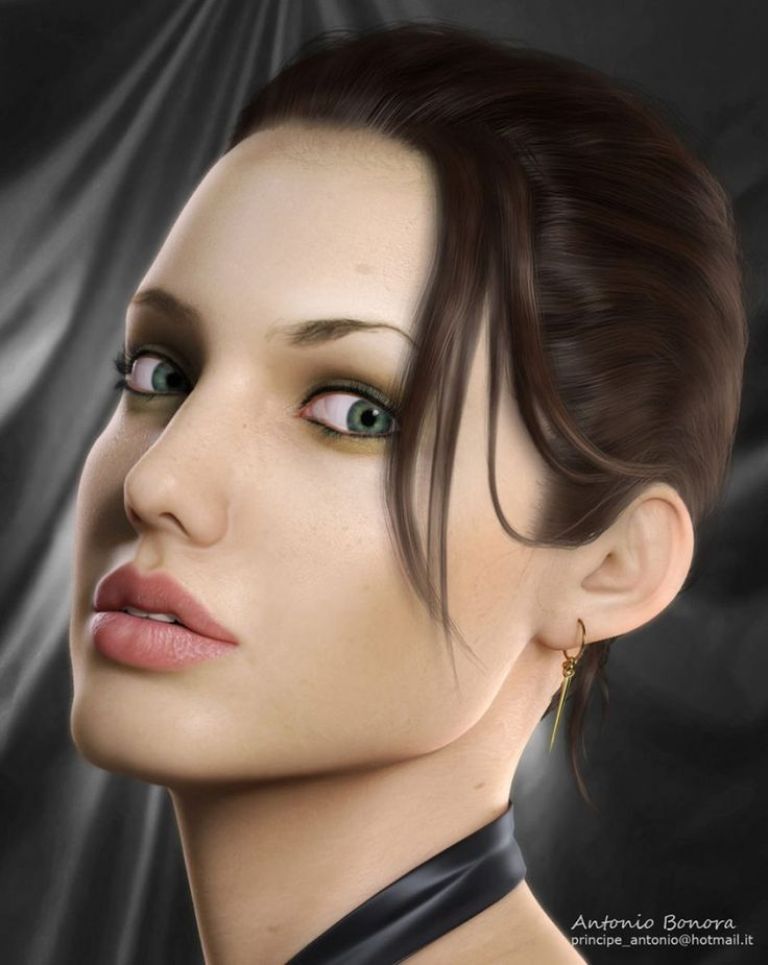
How to Create Realistic 3D Models
What is 3D Modeling?
3D modeling is the process of creating a 3D model using specialized software. 3D models are used in the entertainment industry, such as in video games and movies, as well as in a variety of other applications, such as architecture, engineering and product design. 3D models are created using a variety of specialized software applications, such as Autodesk 3ds Max, Maya, Blender, and ZBrush.
Choosing the Right Software
When it comes to creating realistic 3D models, the right software is essential. Each 3D modeling software has its own unique strengths and weaknesses, and the software you choose will depend on the type of model you want to create. If you want to create high-quality 3D models with realistic textures and materials, Autodesk 3ds Max and Maya are the two most popular choices. For models with a more stylized look, Blender and ZBrush are great options.
Creating a Model
Once you have chosen the right software for your needs, it's time to start creating your model. The first step is to create the basic shape of the model. This is done by creating a mesh, which is a collection of polygons and vertices that can be manipulated and transformed. You can use a variety of tools to create and manipulate the mesh, such as extrude, bevel, bridge, and smooth.
Texturing and Materials
Once you have created the basic shape of the model, it's time to give it a realistic look. This is done by adding textures and materials to the model. Textures are images that are applied to the model to give it a realistic look. These images can be created using a variety of tools, such as Photoshop and GIMP. Materials are used to create the appearance of different surfaces, such as metal, wood, plastic, and glass.
Rendering
Once you have created your model and added textures and materials, it's time to render it. Rendering is the process of creating a photorealistic image of the model. This is done by simulating the way light interacts with the model, and the result is a high-quality image that looks like a photograph. There are a variety of rendering engines available, each with its own strengths and weaknesses.
Animating
Finally, you can animate the model to give it life. This is done by creating keyframes, which are snapshots of the model at different points in time. These keyframes can be used to create realistic movement, such as walking, running, jumping, and more. Animating a model can be time-consuming, but the results can be worth the effort.
Conclusion
Creating realistic 3D models is a complex process, but with the right software and a bit of practice, you can create stunning models. By understanding the basics of 3D modeling, you can create models that look like they were created by a professional. So what are you waiting for? Get started today and create your own 3D masterpiece!
