How To View Stl Files
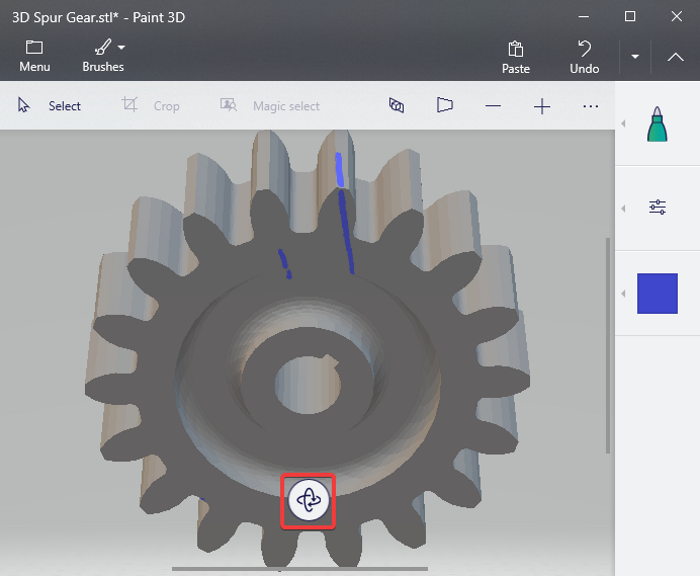
How to View STL Files
What is an STL File?
An STL (stereolithography) file is a 3D computer aided design (CAD) file format. It is used in 3D printing and is the most commonly used 3D file format in 3D printing. STL files are composed of triangles and describe the surface geometry of an object. They are easily generated from 3D CAD models and can be read by any 3D printing software program. STL files are also used by 3D printers to produce physical objects.
How to View STL Files?
To view STL files, you will need a 3D model viewer. There are many free 3D model viewers available, such as Autodesk 123D, Meshlab, Meshmixer, SOLIDWORKS eDrawings, and many more. Each 3D model viewer has its own features, so it is important to find one that meets your needs. Some of the features to consider include the ability to view multiple STL files at once, the ability to zoom and pan, the ability to measure distances, and the ability to rotate and move the object.
How to Use a 3D Model Viewer?
Once you have selected the 3D model viewer of your choice, you can begin to view the STL files. Most 3D model viewers will allow you to open the STL file by simply dragging and dropping it into the program. Once the STL file is loaded, you can begin to view the 3D model. Many 3D model viewers have tools that allow you to measure distances, rotate and move the object, and zoom and pan. You can also add annotations and labels to the model.
Finding STL Files to View
If you are looking for STL files to view, there are many sources available. Many 3D printing websites have collections of STL files that you can download and view. Additionally, there are 3D design websites such as Thingiverse, GrabCAD, and YouMagine, which also have collections of STL files that you can view. You can also find STL files on 3D printing forums, such as 3D Print Board, 3D Hubs, and 3D Printing Talk.
Conclusion
Viewing STL files is a great way to get a better understanding of 3D printing and 3D design. With the right 3D model viewer, you can view the STL files and get an idea of what the object will look like before it is printed. There are many sources of STL files that you can use to view and explore. With the right 3D model viewer, you can explore and visualize 3D designs and get an idea of what the object will look like before it is printed.
References:
1. 3D Printing Software Guide: What is an STL File?
2. Autodesk 123D
3. Meshlab
4. Meshmixer
5. SOLIDWORKS eDrawings
6. Thingiverse
7. GrabCAD
8. YouMagine
9. 3D Print Board
10. 3D Hubs
11. 3D Printing Talk
