How To Convert Skp Files
How to Convert SKP Files
What is an SKP File?
An SKP file is a three-dimensional model created with SketchUp, a 3D modeling program developed by Trimble. It contains the components and structure of a 3D model that can be used in various industries such as architecture, engineering, and film production. For example, SKP files can be used to create 3D models of buildings, furniture, landscapes, and other objects. They can also be used to design video game levels and other interactive 3D environments. In addition to SketchUp, SKP files can be opened with other programs such as Autodesk AutoCAD, Modelur, and Blender.
Why Convert an SKP File?
There are several reasons why you may need to convert an SKP file. For example, if you want to share a 3D model with someone, you may need to convert it to a different file format. If you need to make changes to a 3D model, you may need to convert it to a format that can be edited in a different program. Additionally, converting an SKP file may be necessary if you want to use a 3D model in a different program or platform.
How to Convert an SKP File
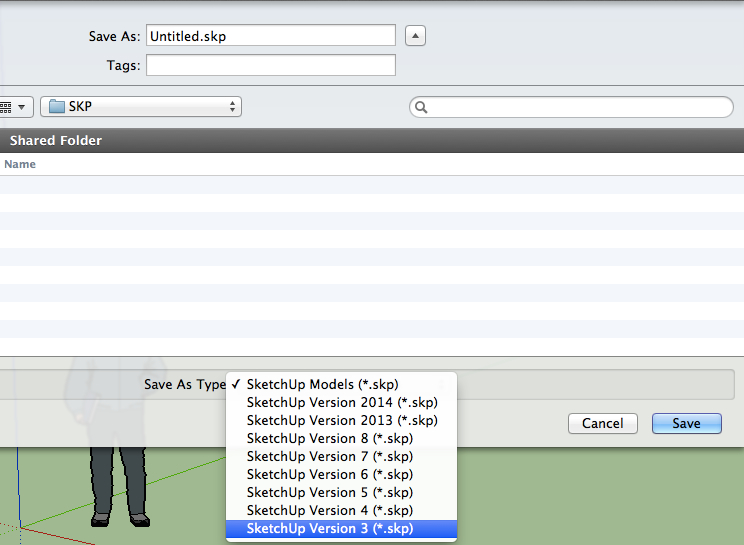
There are several methods you can use to convert an SKP file. The easiest method is to use an online file converter. There are several websites that allow you to upload an SKP file and convert it to a different file format. Additionally, many 3D modeling programs have built-in options for converting SKP files. For example, SketchUp Pro has a "Save As" option that allows you to convert an SKP file to other formats. Finally, there are several third-party desktop programs that can be used to convert SKP files.
What File Formats Can SKP Files Be Converted To?
SKP files can be converted to a wide range of file formats, including 3D model formats (OBJ, DAE, STL, etc.), CAD formats (DWG, DXF, etc.), image formats (PNG, JPG, TIFF, etc.), and vector formats (EPS, SVG, etc.). Additionally, they can be converted to formats that can be used in various 3D printing applications, such as 3MF and G-code.
Which Program Should I Use to Convert an SKP File?
The best program to use to convert an SKP file depends on your needs. If you only need to convert an SKP file occasionally, an online file converter may be the best option. If you need to convert multiple SKP files regularly, a desktop program may be the better choice. Additionally, if you need to make changes to a 3D model, a 3D modeling program may be the best option.
Conclusion
SKP files are 3D models created with SketchUp, a 3D modeling program developed by Trimble. They can be used in various industries such as architecture, engineering, and film production. There are several methods you can use to convert an SKP file, including using an online file converter, built-in options in SketchUp, and third-party desktop programs. SKP files can be converted to a wide range of file formats, including 3D model formats, CAD formats, image formats, and vector formats. The best program to use to convert an SKP file depends on your needs.
